

Let’s be honest, Pinterest is full of amazing ideas. Whether it’s a recipe reel, a DIY clip, a travel moment, or even a funny GIF-sometimes you just wish you could save it offline. But Pinterest itself doesn’t allow direct downloads. And that’s exactly where PinLoader becomes your best friend.
This guide will show you how to Download Pinterest Videos, GIFs, and even audio files using PinLoader in the simplest and chillest way possible. No complicated tools, no technical mess-just a clean, quick, copy-paste-download experience.
In fact, let’s make this super easy for you.
Why People Want to Download Pinterest Videos?
Before we jump into steps, let’s be real. People save Pinterest content for many reasons:
. To use for college or school projects
. To save DIY ideas
. To keep recipes handy
. To rewatch tutorials offline
. To collect travel or home décor inspirations
. To share videos with friends
. To avoid losing content if a pin gets removed
And because Pinterest doesn’t have a built-in download button, the only smooth solution is PinLoader.
What Makes PinLoader Different?
By the way, if you’ve ever tried random online downloaders, you already know the struggle—slow downloading, poor quality, or too many ads.
PinLoader is simple:
. No sign-up
. No confusing features
. No irritating pop-ups
. Just Copy → Paste → Download
Frankly, that’s all anyone wants.
How to Download Pinterest Videos in Just 3 Steps?
Let’s jump into the main part-the exact steps to Download Pinterest Videos using PinLoader. I’m keeping this super simple so you can follow along without scratching your head.
Step 1: Copy the Pinterest Video Link
Let’s start from the basics.
. Open Pinterest on your phone or laptop
. Find the video, GIF, or audio Pin you want
. Click the “Share” button
. Select “Copy link”
That’s all you need for Step 1.
(Pro tip: Make sure the Pin is public. Private Pins may not work.)
Step 2: Paste the Link on PinLoader
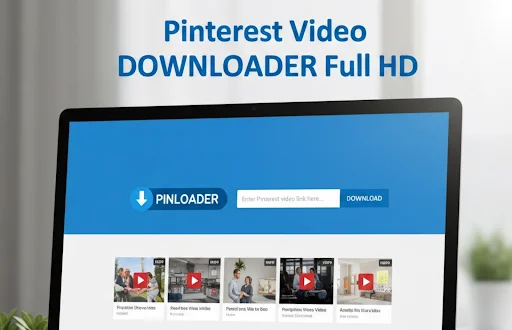
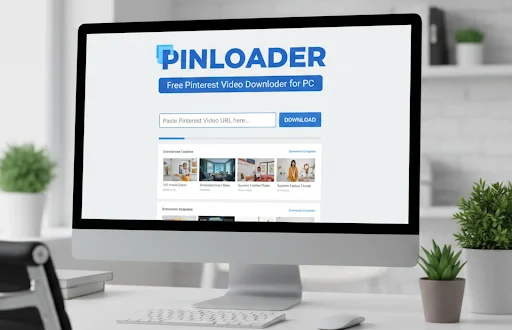
. Now head over to the PinLoader website.
. You’ll see a clean page with one box.
. Just paste the link there.
. No unnecessary buttons. No confusion.
The moment you paste, PinLoader fetches the video file for you. It takes only a few seconds.
Step 3: Hit Download and Save It
. Once PinLoader processes your link, you’ll see a download button.
. Click it and save the file.
. That’s literally it.
. In less than 20 seconds, you can Download Pinterest Videos without any software or login.
In fact, you can save:
. HD Videos
. GIFs
. Audio tracks
. Idea Pins
. Short Clips
. Tutorials
. Reels-style content
All in original quality.
For fast and smooth downloads, use the PinLoader website to easily Download Pinterest Videos.
Why PinLoader Is the Easiest Way to Download Pinterest Content?
Let’s be real for a moment. The internet is full of tools, but most of them feel like a headache. PinLoader stands out because it is:
1. Super Fast
You don’t have to wait forever. It processes links within seconds.
2. HD Quality
It doesn’t ruin clarity. Whatever you see on Pinterest is what you get offline.
3. No App Required
Why install junk apps when you can do everything online?
4. Works on All Devices
Android, iPhone, PC, Laptop-everything works.
5. Safe and Clean
No hidden malware. No risky files. Simple and trustworthy.
By the way, if you save a lot of content regularly, PinLoader is a lifesaver.
Tips for Using Pinterest Videos Offline
Now that you know how to Download Pinterest Videos, here are a few simple tips to make your experience even better:
. Keep your downloads organized in folders
. Rename files so you can find them easily
. Use them for reference, not reposting without permission
. Check storage if you plan to save a lot of tutorials
. Share wisely; respect creators’ efforts
This keeps everything neat and clutter-free.
Is It Legal to Download Pinterest Videos?
Let’s be honest-everyone wonders about this.
It’s safe and legal as long as you download Pinterest videos for personal use only.
Don’t upload someone else’s work to your YouTube, Instagram, or TikTok without giving credit or asking permission.
Downloading for:
. Learning
. Inspiration
. Personal reference
…is absolutely fine.
For more helpful tutorials, you can explore guides available on YouTube.
Final Thoughts
Downloading Pinterest content doesn’t need to be complicated. PinLoader makes the whole process so simple that anyone-even a beginner-can do it with ease. If you often explore Pinterest and save tons of cool stuff, you’ll love how smooth and quick this tool feels.
So next time you want to Download Pinterest Videos, GIFs, or audio files, remember it takes only three steps-Copy, Paste, Download. Simple and chill.
FAQs
1. Can I download any Pinterest video using PinLoader?
Yes, if it’s a public Pin. Private Pins usually don’t work.
2. Does PinLoader work on mobile?
Totally. It works on Android, iPhone, and even tablets.
3. Is it free to download Pinterest videos?
Yes, PinLoader is completely free.
4. Will the downloaded video have HD quality?
Yes, PinLoader tries to keep the original quality intact.
5. Do I need to create an account?
Nope. No sign-up, no login, nothing. Just copy and download.
Related post